

How Can We Help?
Search for answers or browse our knowledge base.
What’s New? – Overview
TMF Long-Running Transactions: Process Name Filtering
WVPE ABI now supports process name–based filtering for TMF Hung and Long-Running Transactions monitoring.
Highlights:
- Filter TMF transactions by process name, with wildcard support (e.g., $R*)
Examples:
$R* – Monitor all TMF transactions initiated by processes starting with $R
$SERVER* – Monitor a group of server processes
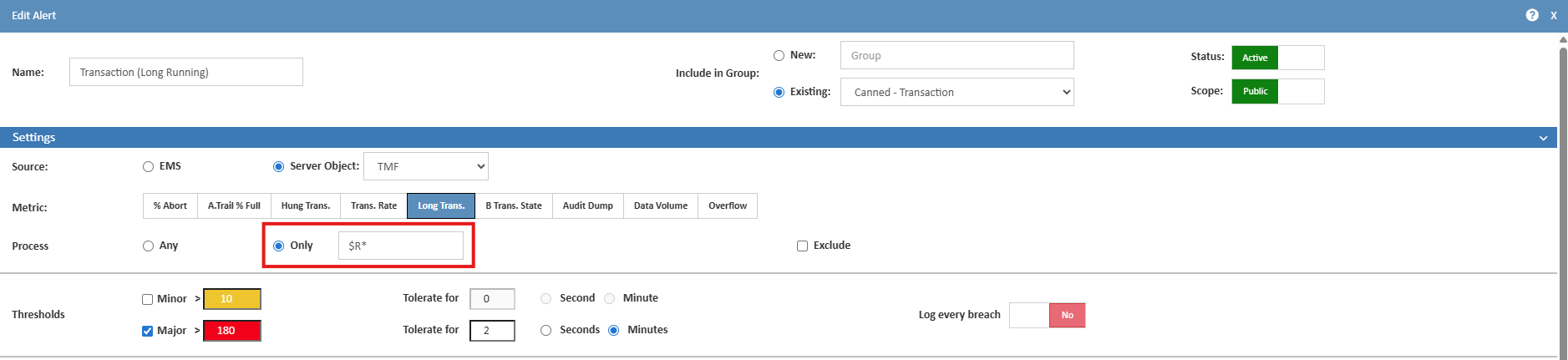
- Configure exclude process lists to limit monitoring scope. This is particularly useful for excluding known long running infrastructure processes such as:
-
- Shadowbase processes
- XYPRO-related processes
- Other trusted background services
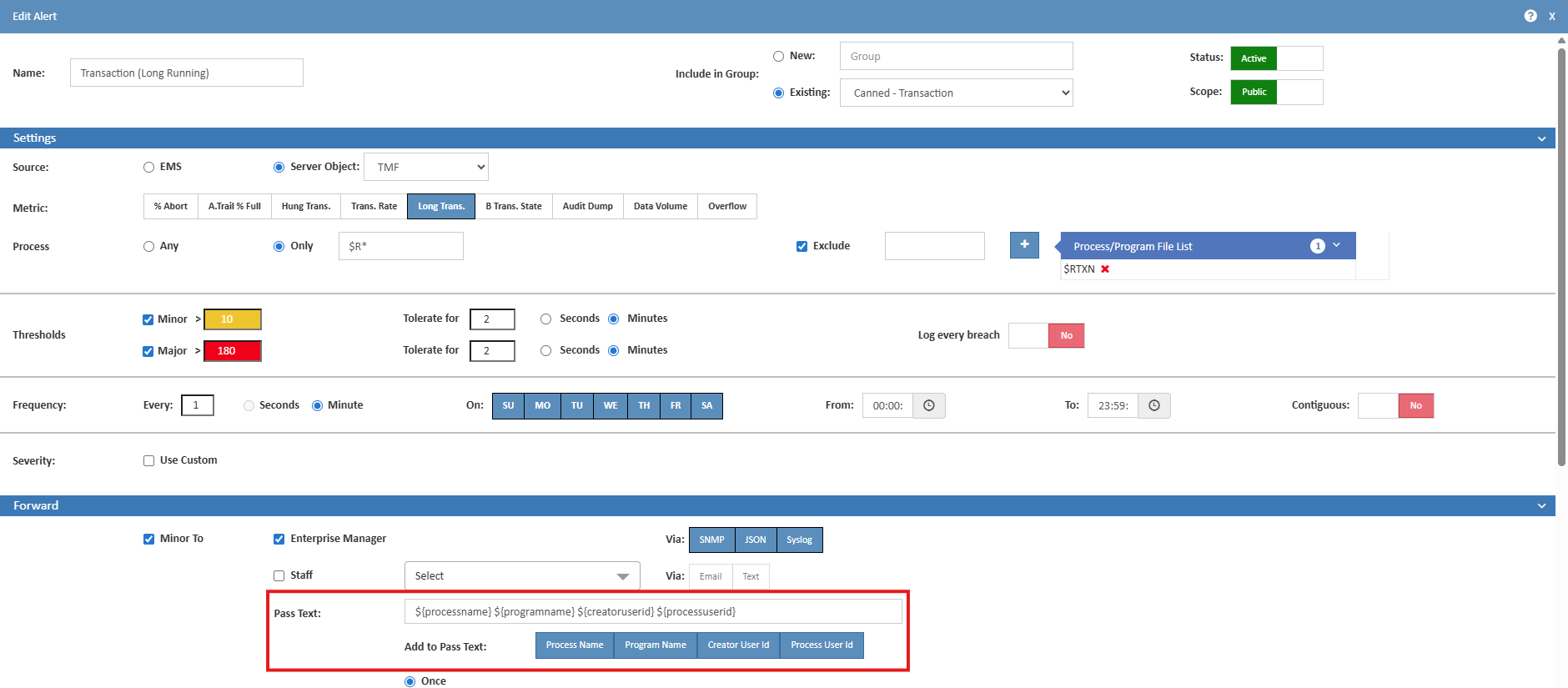
- View additional context, including the User ID that started the transaction and the program/object associated with it.
Dashboard Layout Toggle (Free vs. Compact)
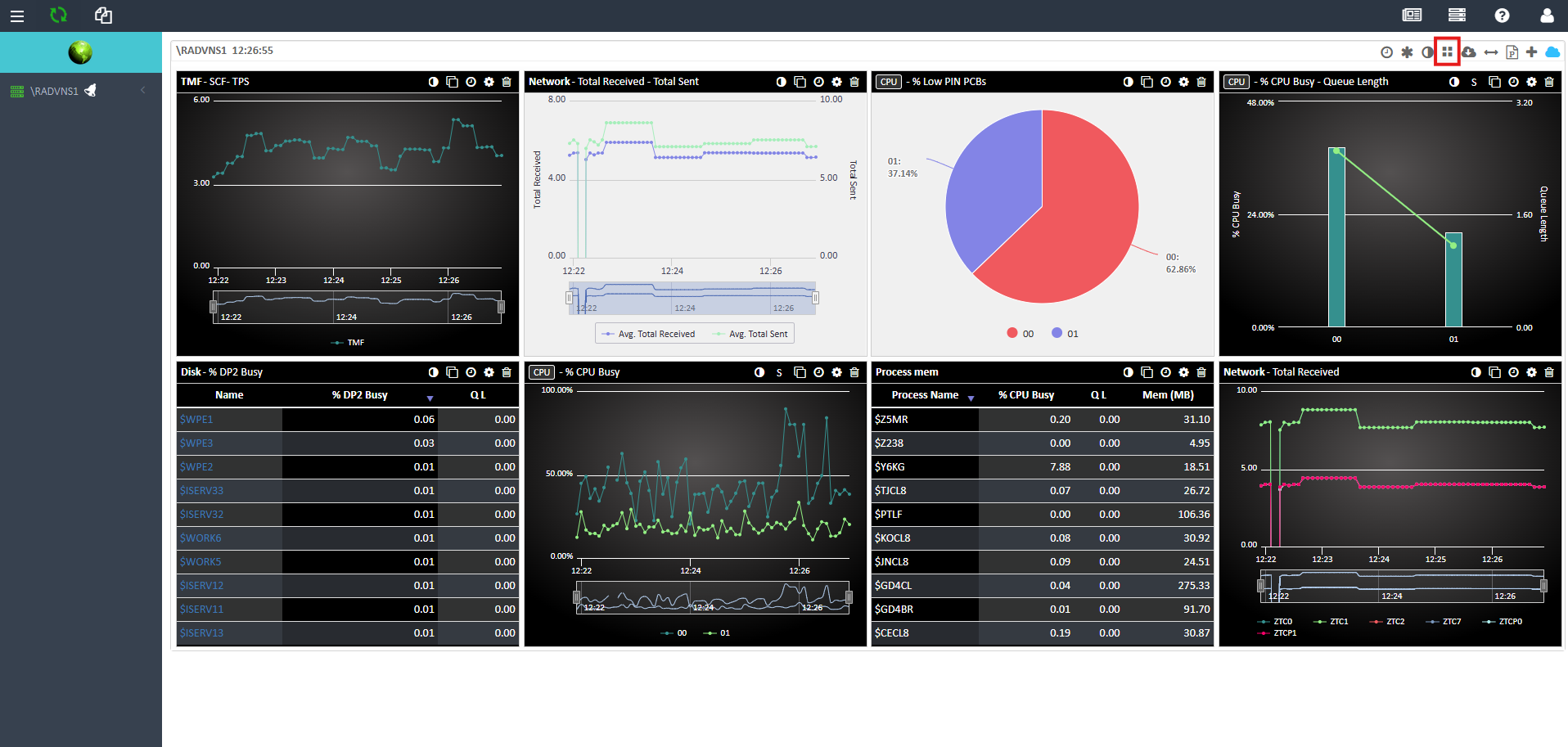
A layout toggle has been introduced in the dashboard toolbar (adjacent to the Themes control), allowing users to switch between Free Layout and Compact Layout modes.
UI Details
- Icon: Grid icon that dynamically switches between fa-th and fa-th-large to reflect the active mode
- Tooltip:
- “Compact Layout (remove gaps)” when enabling compact mode
- “Free Layout (allow gaps)” when enabling free layout
- Placement: Located in the dashboard title bar, between the Themes and Profiles dropdowns
Behavior
Compact Layout (Toggle ON):
- Widgets are automatically reflowed upward and leftward to eliminate empty spaces
- Newly added or repositioned widgets are auto-compacted
- Widget positions are persisted in their compacted arrangement
Free Layout (Toggle OFF):
- Existing widget positions remain unchanged (no automatic rearrangement)
- Users can freely position widgets, including leaving intentional gaps
- This is the default layout for new users

Persistence & Saving
- The selected layout mode is stored per user along with widget configuration
- Settings persist across sessions
- Changes are saved via the existing SAVE_DASH_SETTINGS API
- Save triggers include:
- Drag or resize completion
- Widget addition or removal
- Theme changes
- Layout toggle actions
Multi-Node Resolution Logic
When dashboards are loaded across multiple nodes with differing layout settings:
- If a Home Node is selected:
- The home node’s layout setting takes precedence, regardless of load sequence
- If no Home Node is selected:
- Compact Layout is prioritized
- If any node uses compact mode → dashboard loads in compact mode
- If all nodes use free layout → dashboard loads in free layout
- Post-load synchronization:
- All widgets across loaded nodes align to the resolved layout mode
- The next save operation updates all node servers with the unified setting
Save Performance Enhancement
- Widget position updates are now saved only on drag/resize completion (mouse release)
- Eliminates excessive API calls during movement
- Results in smoother drag interactions and improved performance